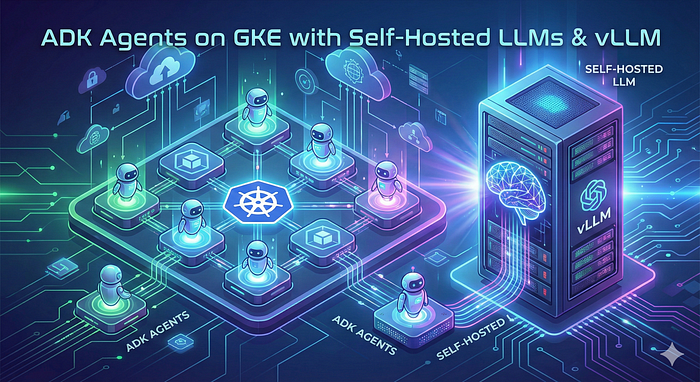
This tutorial demonstrates how to deploy the Llama-3.1–8B-Instruct model on Google Kubernetes Engine (GKE) using vLLM and integrating an ADK agent to interact with the model, supporting both basic chat completions and tool usage. The setup leverages a GKE Autopilot cluster with GPU-enabled nodes to handle the computational requirements.
By the end of this tutorial, you will:
- Set up a GKE Autopilot cluster.
- Deploy the Llama-3.1–8B-Instruct model using vLLM.
- Deploy an ADK agent that communicates with the model endpoint.
- Test the setup with basic chat completion and tool usage scenarios.
Prerequisites
- A terminal with
kubectl,helm, andgcloudinstalled. - A Hugging Face account with a token that has Read permission to access the Llama-3.1–8B-Instruct model.
- Sufficient GPU quota in your Google Cloud project. You need at least 2 NVIDIA L4 GPUs in the region (e.g.,
us-central1) to deploy the tutorial’s setup. - Coffee or Tea ;)
Set Up the GKE Cluster
Create a folder to hold the files we will be using:
mkdir adk-vllm
cd adk-vllm
Export environment variables. Replace the values with yours:
export PROJECT_ID=xxxx
export REGION=xxxxx
export HF_TOKEN=xxxxxxxx
From a terminal (or the GCP Cloud Shell) run the following command to create the cluster:
gcloud container --project $PROJECT_ID clusters create-auto adk-vllm \
    --region $REGION \
    --release-channel regular \
    --enable-dns-access
Once finished, get the credentials for the cluster:
gcloud container clusters get-credentials adk-vllm \
--region=$REGION \
--project $PROJECT_ID
Create a secret with the HuggingFace Token:
kubectl create secret generic hf-secret \
  --from-literal=hf_api_token=$HF_TOKEN \
  --dry-run=client -o yaml | kubectl apply -f -
Deploy the model with vLLM
Write the following YAML file (vllm-deployment.yaml) that contains the vLLM deployment:
apiVersion: apps/v1
kind: Deployment
metadata:
  name: vllm-llama3-deployment
spec:
  replicas: 1
  selector:
    matchLabels:
      app: llama3-server
  template:
    metadata:
      labels:
        app: llama3-server
        ai.gke.io/model: llama3-1-8b-it
        ai.gke.io/inference-server: vllm
        examples.ai.gke.io/source: user-guide
    spec:
      containers:
      - name: inference-server
        image: vllm/vllm-openai:v0.8.5
        resources:
          requests:
            cpu: "2"
            memory: "10Gi"
            nvidia.com/gpu: "2"
          limits:
            cpu: "2"
            memory: "10Gi"
            nvidia.com/gpu: "2"
        command: ["python3", "-m", "vllm.entrypoints.openai.api_server"]
        args:
        - --model=$(MODEL_ID)
        - --tensor-parallel-size=1
        - --host=0.0.0.0
        - --port=8000
        - --enable-auto-tool-choice
        - --tool-call-parser=llama3_json
        - --chat-template=/templates/tool_chat_template_llama3.1_json.jinja
        - --trust-remote-code
        - --enable-chunked-prefill
        - --max-model-len=32768
        env:
        - name: MODEL_ID
          value: meta-llama/Llama-3.1-8B-Instruct
        - name: HUGGING_FACE_HUB_TOKEN
          valueFrom:
            secretKeyRef:
              name: hf-secret
              key: hf_api_token
        volumeMounts:
        - mountPath: /dev/shm
          name: dshm
        - mountPath: /templates
          name: chat-templates
          readOnly: true
      volumes:
      - name: chat-templates
        configMap:
          name: llama-chat-templates
      - name: dshm
        emptyDir:
            medium: Memory
      nodeSelector:
        cloud.google.com/gke-accelerator: nvidia-l4
        cloud.google.com/gke-spot: "true"
---
apiVersion: v1
kind: Service
metadata:
  name: vllm-llama3-service
spec:
  selector:
    app: llama3-server
  type: ClusterIP
  ports:
    - protocol: TCP
      port: 8000
      targetPort: 8000
---
apiVersion: v1
kind: ConfigMap
metadata:
  name: llama-chat-templates
data:
  tool_chat_template_llama3.1_json.jinja: |
    # (Full Jinja template content omitted here for brevity, but included in original file)
Deploy the model:
kubectl apply -f vllm-deployment.yaml
Check identifying the status of pods:
kubectl get pods
Once the pod is ready, set up a port-forward to test the model:
kubectl port-forward services/vllm-llama3-service 8000:8000
Build and deploy the ADK Agent
Clone the repository and build the agent:
git clone https://github.com/boredabdel/adk-vllm-gke
cd adk-vllm-gke/adk_agent
Create a Docker repository in Artifact Registry:
gcloud artifacts repositories create adk-vllm \
--location=$REGION \
--repository-format=docker
Build the agent with Cloud Build:
gcloud builds submit . \
--project=$PROJECT_ID \
--region=$REGION
Deploy the agent to GKE:
kubectl apply -f example_agent/agent-deployment.yaml
Once the agent is live, you can interact with it via its External IP and a Session ID generated through the API.
Clean-up (Optional)
gcloud container --project $PROJECT_ID clusters delete adk-vllm \
    --region $REGION